


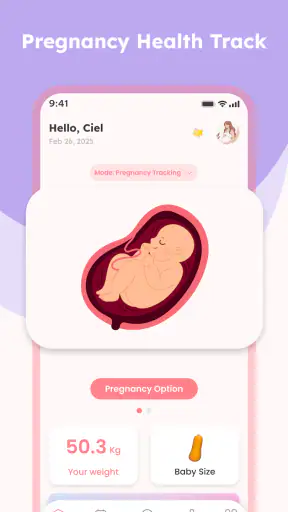
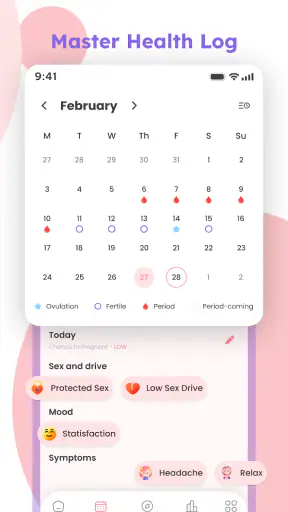
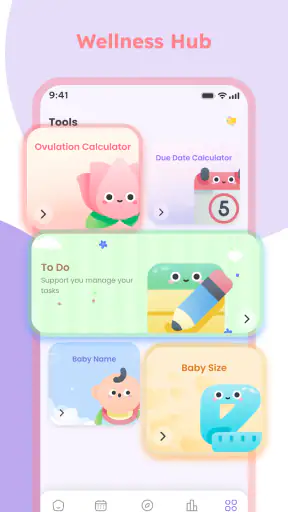
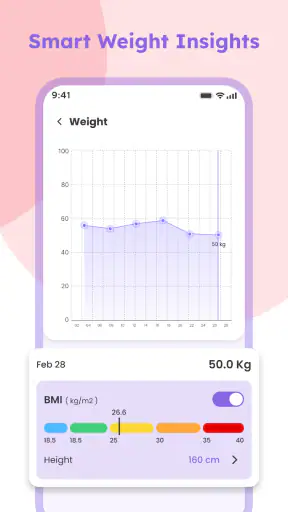
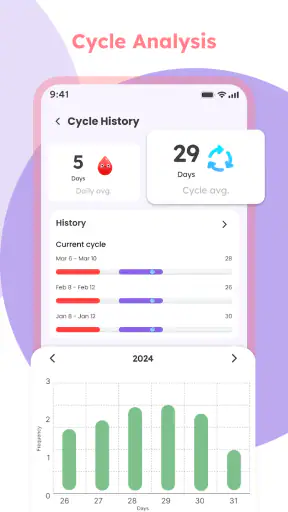
Pregnancy apps are easy to judge by their promises, but much harder to judge by the small moments when you actually need them: standing in a pharmacy, waiting for an appointment, feeling too tired to read a long article, or trying to remember a question for the next visit. I spent time with Pregnant Tracker - Baby Bump in that practical mindset. It is a free parenting app from Am Foundation Inc, built around pregnancy health and wellness guidance rather than entertainment or social interaction.
My overall impression is that it works best as a lightweight companion for organizing pregnancy-related information on a phone. It can help turn scattered thoughts into a more regular habit of checking guidance and recording what matters to you. At the same time, I would not treat it as a replacement for a midwife, doctor, prenatal appointment, or urgent medical service. That distinction is especially important with any app that discusses health.
The app has a 3.9 average from around 3 thousand ratings and has passed 1 million installs, so it is clearly being used by a sizeable audience. It is rated for Everyone, runs on Android 9 or later, and the current version is 1.0.6. Those details make it approachable for many households, including people using an older Android phone, but the real question is how well it fits your daily routine.
How Pregnant Tracker - Baby Bump feels in normal use
A simple role in a much bigger pregnancy routine
I see this app as a personal reference point rather than a complete pregnancy management system. Its focus is health and wellness advice, which gives it a more practical purpose than an app designed mainly to show weekly baby-size comparisons or provide decorative countdowns. That focus is useful when you want to check something calmly, but it also means the value depends on how relevant and understandable the guidance feels to you.
The strongest way to use it is alongside your existing care routine. For example, I would open it after writing down a symptom or concern, use its guidance to frame a question, and then bring that question to a healthcare professional. This workflow avoids a common mistake: using a reassuring paragraph in an app as proof that a medical issue is harmless.
For someone experiencing pregnancy for the first time, the app can provide a sense of structure. Pregnancy creates a constant stream of questions, and a dedicated place for health and wellness material is more convenient than searching the web repeatedly. A focused app can also reduce the temptation to read ten conflicting pages about the same concern.
Still, I would be careful about expecting personalized medical judgment. General advice cannot account for your complete history, medications, previous pregnancies, test results, or instructions from your care team. When those details matter, the app should support a conversation, not settle it.
Where connectivity changes the experience
The most important practical issue is that a health-information app is more comfortable when your phone has a reliable connection. Browsing guidance, refreshing content, or moving through an app that depends on current content can feel smooth at home and less predictable in a basement clinic, a crowded waiting room, or while traveling. I would make a habit of opening the material I expect to need before leaving home rather than assuming every screen will behave identically everywhere.
This is not just a technical inconvenience. Pregnancy often involves short periods when you want an answer immediately, but those are also the moments when you may have poor reception. If you are in a hospital, a rural area, an elevator, or a building with thick walls, a connection problem can interrupt your reading at the least convenient time. I would not rely on the app as the only place where important instructions are stored.
A useful routine is to separate “reading time” from “urgent time.” Use the app during a calm moment with a stable connection to understand general wellness topics. For urgent symptoms, contact the appropriate healthcare service directly instead of waiting for an app page to load. That small distinction makes the product safer and more realistic to use.
Using it during appointments and on the move
Phones are often used in awkward conditions during pregnancy. You may be standing on public transport, holding a shopping bag, sitting in a waiting room, or trying to read while a toddler is asking questions. In those situations, a concise health companion is more useful than a long website that requires several searches and open tabs.
I found the best mobile workflow is to keep a short list of questions outside the app, then use the app to add context before an appointment. Do not try to perform a complete health review while walking or driving. The app may be convenient, but convenience should not turn into distracted use or rushed interpretation.
Another realistic scenario is an evening conversation with a partner. One person may remember a concern while the other is preparing dinner. Instead of immediately searching random results, you can look at the relevant pregnancy guidance together and decide whether the question belongs on tomorrow’s call list. This makes the app useful as a conversation starter, especially when both people want a shared point of reference.
For people who travel between home, work, and medical appointments, I recommend checking important information before the journey. Even when a screen eventually loads, slow connectivity can make a calm reading experience feel stressful. I would also keep appointment details and clinician instructions in the original place where they were given, rather than assuming the app is a complete record.
What happens when the connection or routine breaks
Everyday use is rarely perfect. You may forget to open the app for several days, lose reception, close it before finishing an article, or become too busy to maintain a careful routine. That is why I would judge it by how easy it is to resume, not by whether every session feels complete. A pregnancy companion should fit around real life instead of creating another task that makes you feel behind.
If a page does not load, my first response would be simple: check the connection, close and reopen the app, and try again later. I would not repeatedly tap a failing screen or assume that a partial page contains the full context. If the information is important for a medical decision, I would use a trusted healthcare channel instead.
There is also a human failure mode: reading a general wellness suggestion and forgetting that your clinician gave different instructions. The safest recovery is to treat professional advice as the priority and use the app only to prepare follow-up questions. Keeping a brief note of symptoms, timing, and what you want to ask can be more valuable than repeatedly browsing the same topic.
I also recommend avoiding a perfectionist approach to tracking. Missing a day should not make you abandon the app or feel that the routine has failed. Pregnancy is unpredictable, and an app is useful only if it reduces friction. A short, repeatable check-in is better than an ambitious system that becomes exhausting after a week.
Being thoughtful about personal information
Pregnancy-related use can involve sensitive thoughts and personal health details. Before entering anything private, I would read the app’s current privacy and permission information on the device and in the relevant store. I would also avoid typing identifying details into a general note unless they are genuinely necessary for the task.
A sensible data-conscious habit is to use the app for guidance and personal organization while keeping highly sensitive medical documents in the secure system recommended by your healthcare provider. Test results, prescriptions, insurance details, and formal clinical records deserve more careful handling than an ordinary wellness note.
Shared phones require extra awareness. If your partner or family member uses the same device, think about whether saved screens, notifications, or visible history could reveal information you prefer to keep private. A quick screen check after use is a small step, but it matters when a phone is passed around the household.
I would also avoid treating the app as a permanent archive without checking how it behaves over time. Apps change, phones are replaced, and accounts can be forgotten. Keep essential medical information in a dependable place outside the app. This is not a criticism unique to Pregnant Tracker - Baby Bump; it is a basic rule for any mobile health tool.
Who will appreciate it most
This app is a good match for someone who wants a free, phone-based starting point for pregnancy wellness information. It may suit a first-time parent who feels overwhelmed by broad web searches, a partner who wants to understand common pregnancy topics, or a busy user who prefers opening one dedicated app instead of collecting browser bookmarks.
It can also help people who like to prepare for appointments. Reading a topic in advance may help you describe a concern more clearly and remember what to ask. The benefit is not that the app gives a final answer; the benefit is that it can make your next conversation with a professional more organized.
The free price is a meaningful advantage for anyone who wants to try a pregnancy companion without committing money first. Its Everyone age rating also makes it broadly accessible as a household information tool, although adults should still guide how children interpret health content.
Who should choose something else
I would skip this app as your main tool if you need detailed clinical record keeping, direct communication with a care team, medication management, or a highly personalized plan. Those needs are better served by your provider’s patient portal, a clinician-recommended service, or a more specialized tracker whose exact functions match your care plan.
I would also choose another option if your priority is a rich community, extensive appointment scheduling, or deep customization. A wellness guidance app and a full pregnancy organizer are not interchangeable. Before downloading several tools, decide whether you want education, journaling, reminders, community support, or medical-record access. Using one app for a job it was not designed to do usually creates frustration.
People with unreliable mobile connectivity should be especially practical. If you frequently need information in places with weak reception, keep a separate set of trusted resources available and do not make this app your emergency reference. Connectivity can affect convenience, but it should never determine whether you seek care.
How it compares with familiar alternatives
The usual alternative is a web search. Searching can provide more variety, but it also brings advertising, conflicting advice, outdated pages, and results that may not match your stage or situation. Pregnant Tracker - Baby Bump offers a more focused starting point, which is helpful when you want less noise. The trade-off is that a focused app may not answer every unusual question.
Another alternative is a paper notebook. A notebook works without a battery or network and is excellent for recording questions, symptoms, and appointment notes. It does not, however, provide the same convenience when you want health and wellness guidance at the same time. I would actually pair the two: use paper for quick observations and the app for structured reading.
A provider portal is different again. It is the better place for official messages, test information, and care instructions. The app is more useful for general preparation and everyday education. In my view, the strongest setup is not choosing one winner; it is giving each tool a clear job.
Version, access, and the practical verdict
Pregnant Tracker - Baby Bump is free, developed by Am Foundation Inc, and currently listed at version 1.0.6. It was released on November 26, 2025, and supports Android 9 and later. Those details make it a relatively easy app to try, especially if you are using an older compatible Android phone and want to test its approach before building it into your routine.
My recommendation is cautious but positive. I would suggest it to a person who wants a straightforward pregnancy wellness companion and understands the limits of general app guidance. I would use it at home or in a reliable connection, prepare important reading before appointments, and keep urgent questions directed to qualified healthcare professionals.
The best way to use this app is as a bridge between everyday questions and professional care, not as a substitute for either one. Its value comes from making pregnancy information easier to approach on a phone. Its main weakness is the same one shared by many mobile health tools: convenience can encourage overconfidence, especially when a general answer feels more certain than it really is.
After weighing those trade-offs, I think it earns a place on the phone of a user who wants free, accessible guidance and a simple way to begin organizing pregnancy-related concerns. I would not depend on it alone, and I would keep a backup plan for weak connectivity. Used with that discipline, Pregnant Tracker - Baby Bump is a sensible supporting tool rather than an all-in-one pregnancy solution.


